
When shooting the videos, its good to get various shots from various angles.
Try to record them in a smooth way and then all the magic its made in the editing Keep in mind:
Creating high-quality videos involves a combination of technical skills, creativity, and attention to detail. Here's a concise guide on recording good videos:
1. Plan Your Shot:
Before hitting the record button, have a clear idea of what you want to capture. Outline your shots, consider angles, and think about the overall composition. A well-thought-out plan can save time and improve the quality of your footage.
2. Use a Stable Support:
Shaky footage can be distracting. Use a tripod or stable surface to ensure a smooth and professional-looking video. If you're on the move, consider investing in a gimbal for stabilized shots.
3. Mind Your Lighting:
Good lighting is crucial for video quality. Whenever possible, use natural light or invest in soft, diffused artificial lighting. Avoid harsh shadows and be mindful of the direction of light to enhance the visual appeal of your video.
4. Set the Right Resolution and Frame Rate:
Choose the appropriate resolution and frame rate for your project. Higher resolutions provide more detail, but they may require more storage space. Match your frame rate to the style of your video—24fps for a cinematic look, 30fps for standard video, and higher for smoother motion.
5. Focus and Exposure:
Ensure your camera is properly focused on the subject. Use manual focus if necessary, and double-check exposure settings. Balancing brightness and contrast will contribute to a visually appealing video.
7. Record in Short Takes:
Instead of recording long continuous shots, break your video into shorter takes. This makes editing easier and allows for more flexibility in post-production. It also reduces the chances of making mistakes that could ruin an entire shot.
Remember, the key to recording good videos is a combination of technical proficiency, thoughtful planning, and a willingness to learn and improve over time.
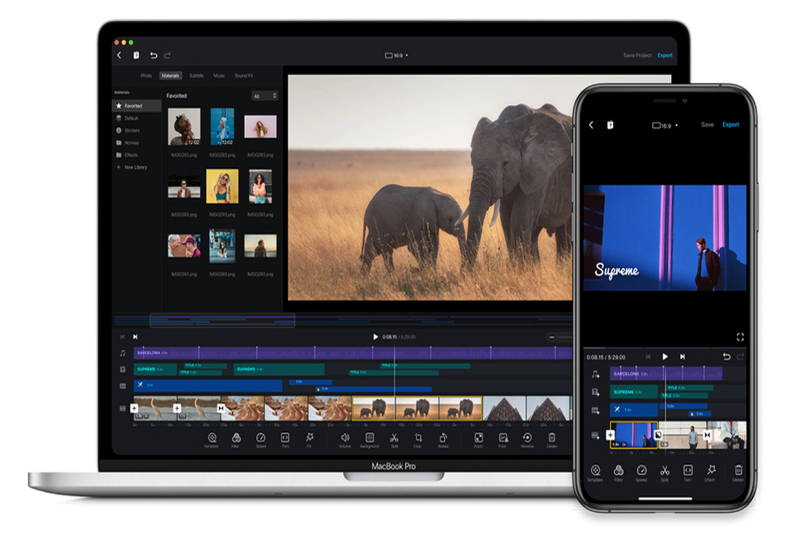
For editing this video I used VN app and Adobe Premiere Pro
Some tricks for music sync with video:
1. Choose Your Music Wisely:
Start by selecting a music track that complements the mood and theme of your video. Pay attention to the beats and rhythm, as these will be crucial for synchronization.
2. Familiarize Yourself with the Music:
Listen to the music track carefully and identify key beats, drops, or transitions. Understanding the rhythm will help you align your video content seamlessly.
3. Plan Your Shots:
Before recording, plan your shots based on the beats of the music. Consider specific actions, movements, or scene changes that can coincide with the musical elements. This planning will enhance the overall synchronization.
4. Use the App's Editing Features:
VN app likely offers editing features that allow you to cut and arrange your video clips. Take advantage of these tools to align your video content with the music beats accurately.
5. Trim and Adjust:
Trim your video clips to match the desired timing with the music beats. You may need to adjust the length of certain shots to achieve perfect synchronization. Use the app's timeline or editing interface to make precise cuts.
6. Utilize Transitions and Effects:
Enhance the synchronization by incorporating transitions and effects offered by the VN app. Smooth transitions between clips can create a more polished and visually appealing result.
7. Learn from Feedback:
Share your synced video with friends or gather feedback from your audience. Pay attention to how well your video aligns with the music, and use feedback to improve your synchronization skills for future projects.
By combining a thoughtful selection of music, careful planning, and the editing features of the VN app, you can create visually stunning videos that are perfectly synchronized with the beats of your chosen soundtrack.